Usb-c docking station
Plugable UD-ULTCDL
Best Usb-c docking station – Luxury – 200 $ to 350 $
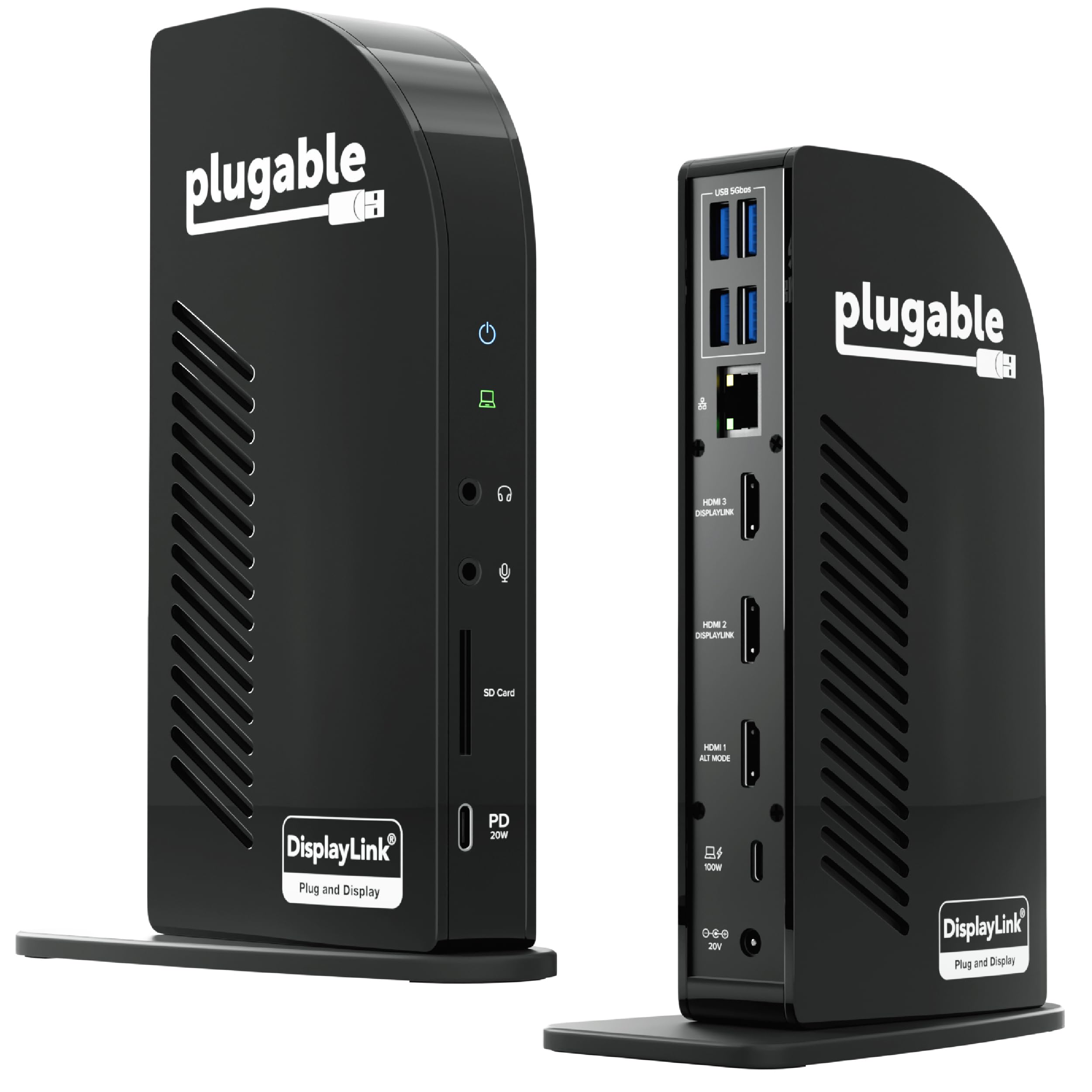
The Plugable UD-ULTCDL is our Luxury pick for a desk built around several HDMI screens and many peripherals. Buyers praise its broad connectivity, simple setup, and laptop charging. Avis de Gemini, citing PCMag, also describes a versatile office dock with clear video and a strong port selection.
A multi-screen desk from one USB-C connection
The UD-ULTCDL suits a workstation that needs more than a single external display. Buyers describe connecting multiple monitors, keyboards, mice, and printers through the dock, while one buyer with a MacBook reported three external monitors plus the laptop screen. Another buyer used it with a MacBook Pro M1 and two LG monitors after installing the drivers. Avis de Gemini, citing PCMag, reports clean 4K video and audio for office use, with a broad selection of ports and good laptop charging. That combination explains the Luxury choice: it is aimed at a full desk setup rather than a simple adapter.
Choose the Plugable UD-ULTCDL if your priority is a flexible office dock for several HDMI displays and a large set of peripherals. Buyers repeatedly praise its functionality, connectivity, easy setup, and charging. They report that a single USB-C connection can bring together monitors and accessories, and several Mac users say it extends display support beyond what their computer normally offers. Avis de Gemini, citing PCMag, describes it as a versatile office solution with clear video and audio and effective laptop charging. The important limit is reliability: a small group of buyers report needing to restart the dock or disconnect and reconnect it, sometimes repeatedly. That makes it a strong fit for a feature-rich desk, but a less comfortable choice if uninterrupted plug-and-play operation matters most.
Who it’s for For Windows, macOS, or ChromeOS users building a multi-monitor office with HDMI screens, USB accessories, Ethernet, and laptop charging.
What sets it apart
- Supports a three-display HDMI setup according to the product description and buyer reports.
- Buyers praise the number of ports and the ability to connect a complete desk through one USB-C link.
- Multiple buyers describe setup as quick and straightforward once the required display software is installed.
- Buyers report effective charging for laptops, including MacBook and XPS examples.
What to know
- Some buyers report recurring restarts or reconnects, so reliability may not match its otherwise broad functionality.